Wedding Art: A Designer's Guide to Elegant Invitation Design
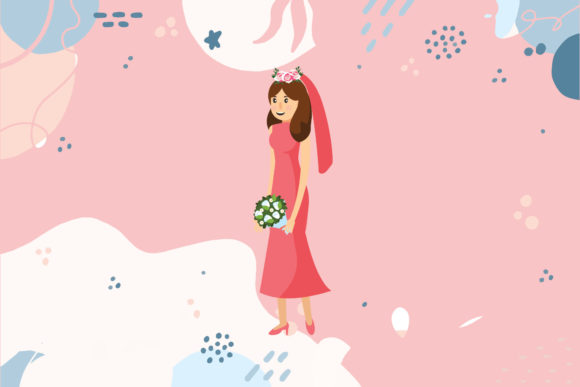
There’s a moment when you’re designing a wedding suite where everything has to click. The typography, the motifs, the color palette—it all needs to sing in harmony. Wedding Art is a design concept that captures this sentiment perfectly, offering a collection of elegant, vector-based graphics that serve as the backbone for high-end stationery and event branding. It’s more than just a set of pretty pictures; it’s a toolkit for creating a cohesive visual language that speaks to romance and sophistication.
Why Vector Formats Matter for Wedding Projects
If you’ve ever tried to scale a low-resolution image for a large banner or a high-DPI print job, you know the frustration of pixelation. This is where the true power of Wedding Art lies in its delivery format. The collection is provided in six distinct file types—AI, EPS, SVG, DXF, JPG, and PNG—ensuring that whether you are working in Adobe Illustrator for complex vector manipulation or using a cutting machine for physical vinyl decals, the integrity of the design remains intact.
The availability of these specific formats addresses a common bottleneck in creative workflows. For instance, the SVG and DXF files are absolute lifesavers for crafters and small business owners using Cricut or Silhouette machines. You can take the intricate floral swags or romantic borders found in Wedding Art and cut them out of cardstock or vinyl with surgical precision. Meanwhile, the AI and EPS files are essential for graphic designers who need to tweak anchor points, change stroke weights, or adjust the composition to fit a specific envelope size without losing quality.
Practical Applications: Beyond the Wedding Invitation
While the name suggests a singular focus, the utility of this design set extends far beyond a "Save the Date" card. Because the assets are provided in a generous 1920 px x 1280 px canvas size for the raster formats (JPG and PNG), they are immediately ready for digital use. This makes them incredibly versatile for content creators and social media managers.
Imagine you are a wedding photographer or a venue manager. You can use the PNG files, which typically come with transparent backgrounds, to overlay onto your images for Instagram Stories or Facebook cover photos. The consistent aesthetic helps in building a recognizable brand identity. Here are a few other ways this asset can be utilized:
- Digital Products: Use the assets to create digital planners, Zoom backgrounds for virtual bridal showers, or desktop wallpapers.
- Packaging Design: If you run a small business selling handmade soaps, candles, or jewelry, these graphics can be adapted for box inserts or sticker designs, giving your packaging a premium, boutique feel.
- Editorial Layouts: Bloggers writing about wedding trends can use these graphics to break up text, create featured images, or design sidebar widgets that keep the reader engaged.
- Merchandise: With the vector files, you can easily adapt the art for tote bags, t-shirts, or mugs intended for bridal parties.
Editing and Customization: Making It Your Own
One of the biggest concerns designers have when using pre-made assets is the risk of looking generic. Wedding Art solves this by offering designs that are easy to edit. Because the source files are vector-based, you have total control over the final look. You aren't locked into the original color scheme. If your client has a specific "dusty rose" or "sage green" in their brand guide, you can select the elements and swap the colors in seconds.
Furthermore, the composition is modular. You might find a beautiful corner flourish in the collection that works perfectly for a certificate of marriage, but you don't need the entire surrounding frame. By ungrouping the vectors, you can isolate specific elements—like a single branch or a specific typographic swirl—and incorporate them into other projects. This flexibility turns a single purchase into a long-term library of design components.
Matching Typography to Project Goals
When working with decorative art, the choice of accompanying typography is critical. The artwork in this collection often features romantic, flowing lines, which means your font pairing needs to complement rather than compete. A common mistake is pairing ornate art with an overly decorative script font, resulting in a layout that is difficult to read.
Consider using a clean sans-serif font for the body text—such as guest details or event schedules—to ensure readability. Then, reserve a high-impact serif or display font for the headlines to match the elegance of the artwork. This contrast creates a visual hierarchy that guides the viewer's eye. The art acts as the frame, and the typography delivers the message. Testing different pairings is easy; simply mock up a few variations in your design software to see which combination best captures the couple's personality.
Commercial Use and Licensing Considerations
For designers and entrepreneurs, the commercial viability of an asset is just as important as its aesthetic appeal. When investing in design resources like Wedding Art, it is crucial to understand the licensing. Generally, these assets are licensed for commercial use, meaning you can use them in projects you sell to clients or products you sell to customers.
However, the standard practice in the industry usually prohibits the resale of the raw files themselves. You cannot simply zip up the SVG or PNG files and sell them as a digital download on Etsy as if they were your own creation. The value you provide is your design expertise—how you combine these elements with typography, layout, and color theory to create a final, polished product. Always review the specific license agreement included with the download to ensure your intended use is covered.
Optimizing for Web and Social Media
In an era where a wedding might be planned entirely online, the digital presentation of your designs is paramount. The 1920 x 1280 pixel dimensions of the JPG and PNG files are ideal for web banners and blog headers, offering a high-quality resolution that looks crisp on retina displays without being so large that it slows down page load times.
When using these assets for web design, pay attention to file size optimization. While the provided files are high quality, you may need to run them through a compression tool like TinyPNG before uploading them to a website to ensure fast loading speeds—a key factor in SEO and user retention. The transparency of the PNG files is particularly useful here, allowing the artwork to sit over background textures or colors seamlessly, creating a layered, professional web layout.
Ultimately, having a versatile set of art files at your disposal streamlines the creative process. It allows you to move from concept to execution faster, whether you are designing a physical keepsake or a digital marketing campaign. Wedding Art provides that bridge between raw inspiration and a polished, professional deliverable.